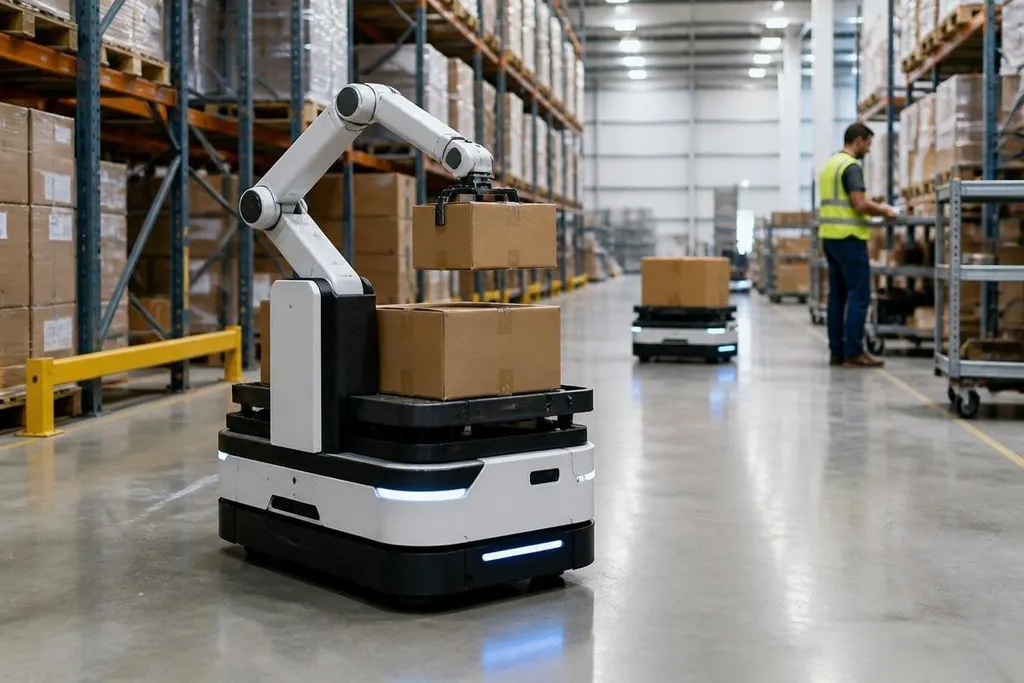
A logistics robot can now use camera, LiDAR, and software models to handle more changes than a fixed route allows. The useful shift is practical: fewer hand-coded paths, better choices around people and goods, and more work for the team that manages the fleet.
Quick read
- AI helps robots read scenes, choose routes, and sort items.
- The robot still needs sensors, safe limits, good maps, and human checks.
- The hardest work is proving that performance holds outside a test area.
How the robot uses AI
Traditional warehouse automation follows set routes and rules. A machine-learning model can read sensor data, spot an object, and estimate what action fits the scene. The robot then combines that result with normal control software, which handles speed, steering, braking, and arm movement.
That split matters. AI may help a robot tell a pallet from a person, but a separate safety system still needs to stop the robot when someone enters its path. A vision model can suggest an action; it shouldn't have the final say on a safety stop.
The same setup helps with route planning. An autonomous mobile robot, or AMR, can build a map of its work area and choose a path around a blocked aisle.
If a cart moves into that path, the robot can slow down, wait, or select another route instead of stopping the whole task.
Where the gains show up
The clearest use is handling change. Boxes arrive at different angles, shelves move, and people cross shared work areas. Software that can read those conditions cuts the number of cases that need a fixed rule for each possible position.
Picking is another area. A camera can estimate an item's shape and position before a gripper moves. The robot may then change its grip or approach angle for a soft bag, a box, or an object partly hidden by another item. That helps when a warehouse handles many item types in the same work cell.
AI can also sort task data for fleet managers. A system may flag repeated stops, failed picks, or routes that take longer than planned. The manager still needs to check the cause, since a bad map, a worn wheel, and a blocked scanner can produce similar symptoms.
A route that looks efficient in software can still fail when a pallet blocks the aisle or a lift door stays closed. That gap makes Robot24 useful for checking logistics AI against named robots and dated warehouse tests. The software can choose a new path. It still can't widen an aisle or move a damaged pallet, which brings the next section back to the machine itself.
The limits are physical
Better software doesn't give a robot a stronger motor, a larger battery, or a more careful gripper. A box with a torn label can still confuse vision. Shiny wrapping can reflect light into a camera, while dust can reduce the quality of a LiDAR scan.
Training data creates another limit. A model that works well with brown cartons may handle white plastic bags poorly if those bags rarely appeared in its training set. The error may appear only after a new supplier changes the packaging.
Speed brings a trade-off. A robot that stops for every uncertain reading will protect its safety margin but move fewer items. A robot that guesses too often may keep moving while carrying the wrong item. The software needs clear rules for when to ask a person for help.
I’d judge an AI feature by its failure logs, not by a smooth demo.
What the warehouse team must run
AI adds work before it removes work. Someone must label useful data, check sensor placement, review failed tasks, and confirm that a software update hasn't changed safe behavior. Staff also need a way to pause the fleet and return a task to manual control.
The data should stay tied to a real task. A picking model needs records of successful and failed picks, the item type, the camera view, and the reason for each failure. A route model needs travel time, stop causes, map changes, and traffic around the robot.
A small test area can catch basic faults, but it can't represent every shift. Run the system with the real floor layout, packaging, lighting, traffic, and work targets before you judge its value.
A deployment check
Use this list before adding an AI feature to a logistics robot:
- Name the task the model must improve, such as item recognition or route choice.
- Record the failure cases, including the item, sensor view, location, and operator action.
- Set a safe fallback for uncertain results, such as stopping or asking for help.
- Test under changed light, blocked aisles, new packaging, and normal worker traffic.
- Measure task time, error rate, stops, and human interventions before and after rollout.
- Set a review date for the model, its training data, and the safety rules around it.
The next useful step is better proof of performance outside controlled trials. A logistics robot earns its place when it handles ordinary variation, reports its failures clearly, and keeps a person in control when the software reaches a case it cannot read.